

How to File Taxes Without an Accountant: 2026 Guide
File taxes without accountant: File taxes without an accountant using this step-by-step guide. Learn which documents you need, tax software options.
Table of Contents
- Assess Your Tax Situation: When DIY Filing Makes Sense
- Gather Your Tax Documents Checklist
- Understanding the IRS Free File Program
- Choose Your Filing Method: Software vs. Paper vs. E-File
- How Long Does It Take to File Taxes on Your Own
- Common Mistakes to Avoid When Filing Without Professional Help
- What to Do After Filing: Post-Filing Troubleshooting
- Frequently Asked Questions
Last Updated: September 30, 2026
Assess Your Tax Situation: When DIY Filing Makes Sense
You can file taxes without accountant if you assess your specific circumstances carefully. The key is honestly evaluating whether your tax situation falls into the "straightforward" category or if complexity warrants professional help.
Start by asking yourself a few critical questions. Do you have a simple W-2 from a single employer with no side income? Are you claiming only standard deductions? Do you have no investment income, rental properties, or business expenses? If you answered yes to all three, you're likely a good candidate for filing taxes without an accountant.
The complexity increases significantly when self-employment enters the picture. If you receive 1099 forms for freelance work, gig economy income, or contract positions, your filing becomes more intricate. You'll need to calculate self-employment tax, which is where many DIY filers stumble. Similarly, if you have multiple income streams, significant deductions, or tax credits you're unsure about, professional guidance becomes more valuable.
Consider your comfort level with numbers and government forms. Some people find the process straightforward and even satisfying. Others feel overwhelmed by the terminology and requirements. Neither response is wrong, it's simply about knowing yourself. If you've successfully filed taxes without an accountant before, you probably can again. If you've never attempted it and feel anxious about official documents, that's worth acknowledging upfront.
Gather Your Tax Documents Checklist
To file taxes without accountant successfully, you must assemble every relevant document first. Missing paperwork is one of the most common reasons DIY filers either delay their filing or make errors.
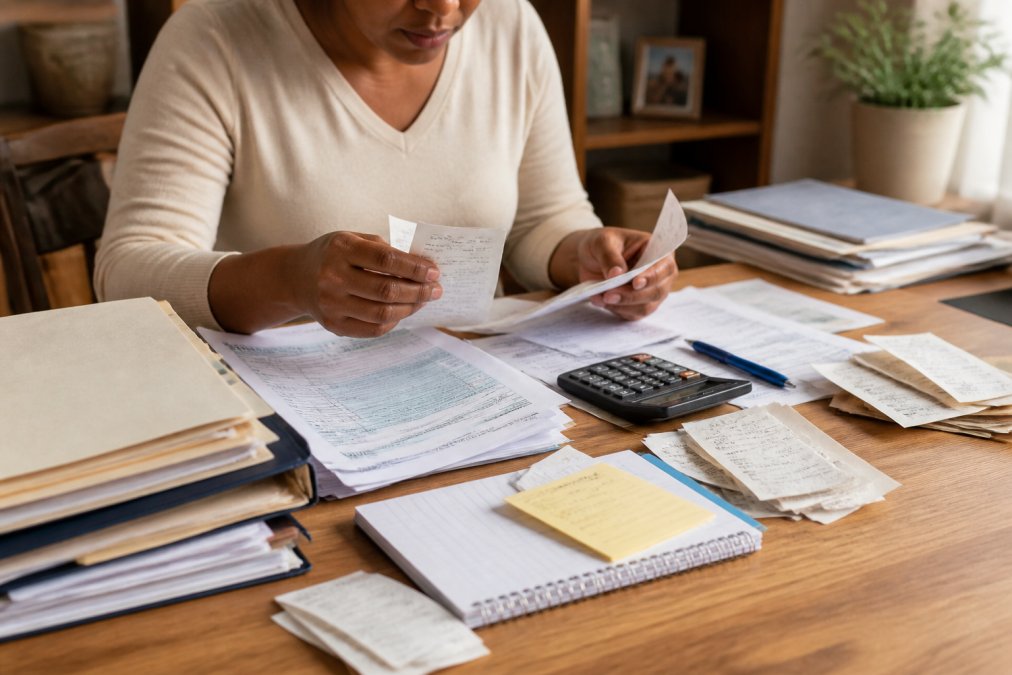
Create a dedicated folder, physical or digital, and start collecting. You'll want everything in one place before you begin the actual filing process. This prevents the frustrating situation where you're halfway through and realize you're missing a critical form.
W-2 Forms and Employment Income
Your employer must send you a W-2 form if you earned wages as an employee. This form shows your gross income, taxes withheld, and other employment-related information. You should receive it by January 31st each year.
1099 Forms and Self-Employment Income
A 1099 form reports income you received that wasn't subject to employer withholding. Common types include 1099-NEC for independent contractor work and 1099-MISC for miscellaneous income. If you earned more than $600 from a single source of self-employment income, the payer is required to send you a 1099.
Deductions and Credits Documentation
Gather receipts and records for any deductions or credits you plan to claim. Common deductions include mortgage interest statements, property tax records, charitable contribution receipts, and medical expense documentation. If you're self-employed, keep records of business expenses: supplies, equipment, mileage, and home office costs.
Understanding the IRS Free File Program
The Internal Revenue Service offers a free filing program for eligible individuals. This is often overlooked by people who assume they must pay for tax software or professional services to file taxes without an accountant.
Choose Your Filing Method: Software vs. Paper vs. E-File
You have three primary methods to file taxes without an accountant: tax preparation software, paper forms mailed to the IRS, or electronic filing through an authorized provider.
Tax Preparation Software Options
Tax preparation software walks you through your return question-by-question, asking about income, deductions, and credits. The software calculates your tax liability and generates the required forms automatically. This method appeals to most DIY filers because it reduces the chance of calculation errors and ensures you don't miss required fields.
Filing by Mail vs. E-Filing
E-filing means submitting your return electronically to the IRS rather than printing and mailing paper forms. E-filing is faster, you typically receive confirmation within 48 hours, and it's more secure than mailing sensitive documents.
How Long Does It Take to File Taxes on Your Own
The time required to file taxes without an accountant varies dramatically based on the complexity of your situation and your familiarity with the process.
Common Mistakes to Avoid When Filing Without Professional Help
Most errors when filing taxes without an accountant fall into predictable categories. Knowing these mistakes helps you avoid them.
What to Do After Filing: Post-Filing Troubleshooting
After you file taxes without an accountant, your work isn't entirely finished. Understanding what happens next and what to do if problems arise is important.
Frequently Asked Questions
What is the $600 rule for tax reporting?
The $600 rule applies primarily to self-employed individuals and gig workers. If you receive more than $600 in income from a single source (such as freelance work or selling items online), that payer must issue you a 1099-NEC form, and you must report it on your federal income tax return. Even if you don't receive a 1099-NEC, you're still required to report all income above this threshold. This rule helps the Internal Revenue Service track income and ensures tax compliance across the economy.
What documents do I need to gather before filing my own taxes?
Start with your tax documents checklist: W-2 forms from employers, 1099 forms for self-employment or other income, receipts for deductions (medical expenses, charitable donations, business expenses), mortgage interest statements, property tax records, and your Social Security card or tax identification number. If you have investment income, gather 1099-INT or 1099-DIV forms. Keep last year's tax return for reference. Organize these documents before you begin, this step helps prevent errors during filing.
How do I know if I qualify for the IRS Free File program?
The IRS Free File program is available to individuals whose adjusted gross income falls below a specific threshold (typically around $79,000 annually, though this amount changes yearly). You can verify your eligibility on the IRS website, which lists participating providers. Free File is designed for taxpayers with straightforward returns, generally those with W-2 income, standard deductions, and basic credits. If your situation is more complex (significant self-employment income, itemized deductions, or multiple income sources), you may need paid tax preparation software instead.
Is it difficult to file taxes by yourself without professional help?
Filing taxes yourself is manageable if your situation is straightforward: you have one employer, claim the standard deduction, and have no self-employment income. Most modern tax preparation software guides you through the process step-by-step, asking questions rather than requiring you to know tax codes. However, complexity increases with self-employment income, multiple income sources, significant deductions, or business expenses. Assess your tax liability and filing requirements honestly before deciding.
How long does it take to file taxes on your own?
The time required to file taxes on your own varies based on the complexity of your situation and your familiarity with the process. It depends on your organization level and familiarity with tax forms.
Should I file my taxes electronically or by mail?
E-filing is faster and more secure than mailing paper returns. The IRS processes e-filed returns within 21 days, and you receive refunds more quickly (typically 3-5 business days for direct deposit). E-filing also reduces errors because the software validates your information before submission and prevents common mistakes. Paper returns take 6-8 weeks to process. Unless you have a specific reason to file by mail, e-filing through tax preparation software or the IRS Free File program is the better choice for most taxpayers.
What happens if I make a mistake on my tax return after filing?
If you discover an error after filing, don't panic. Minor mistakes are often corrected automatically by the IRS during processing. For significant errors (incorrect income, missed deductions, or wrong filing status), file an amended return using Form 1040-X within three years of your original filing date. If the IRS identifies an error and sends you a notice, respond promptly with the requested documentation. Filing an amended return costs nothing and protects you from penalties. The key is addressing errors quickly rather than ignoring them, the IRS typically initiates contact if they spot discrepancies during their review.
Can I file taxes myself if I'm self-employed with 1099 income?
Yes, you can file taxes yourself as a self-employed person, though the process is more involved than W-2 filing. You'll need to complete Schedule C (Profit or Loss from Business), calculate self-employment tax using Schedule SE, and track all business income and expenses throughout the year. The complexity depends on your business structure (sole proprietor, LLC, S-corp) and deduction categories. Keep organized records of receipts, mileage, and expenses. Many self-employed filers use tax preparation software that includes self-employment sections, or they work with a tax professional.